Just say it,
Planif.ai plans it.
The AI calendar & daily planner that turns plain language into a perfectly organized day. Chat to schedule events, manage tasks, track habits — and see exactly where your time goes.
Free · iPhone & iPad · English, Français, Español, Italiano, Deutsch

“Schedule dentist Tuesday 3pm and remind me to prep the slides the night before.”
Done. Added Dentist Tue 3:00pm and a task Prep slides due Mon evening.
Everything you need for the day ahead, nothing you don’t.
One beautifully simple app that replaces three: calendar, to-do list and planner. Powered by an AI that actually understands how you talk about your time.
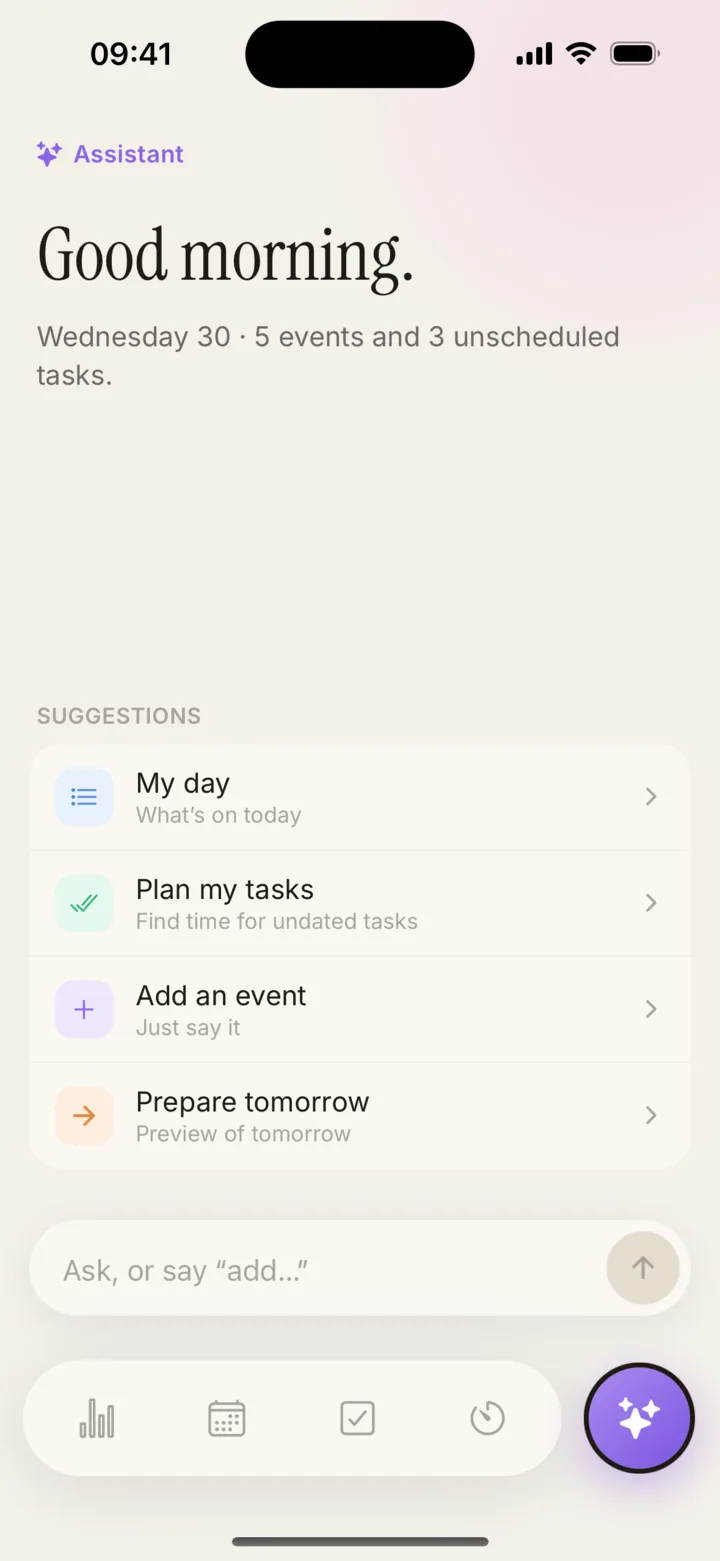
AI chat that understands your day
Say “move my 3pm meeting to tomorrow” or “block 2 hours tomorrow morning for deep work”. Planifai reads your calendar and tasks together, so nothing gets lost in translation.

A calendar you actually want to open
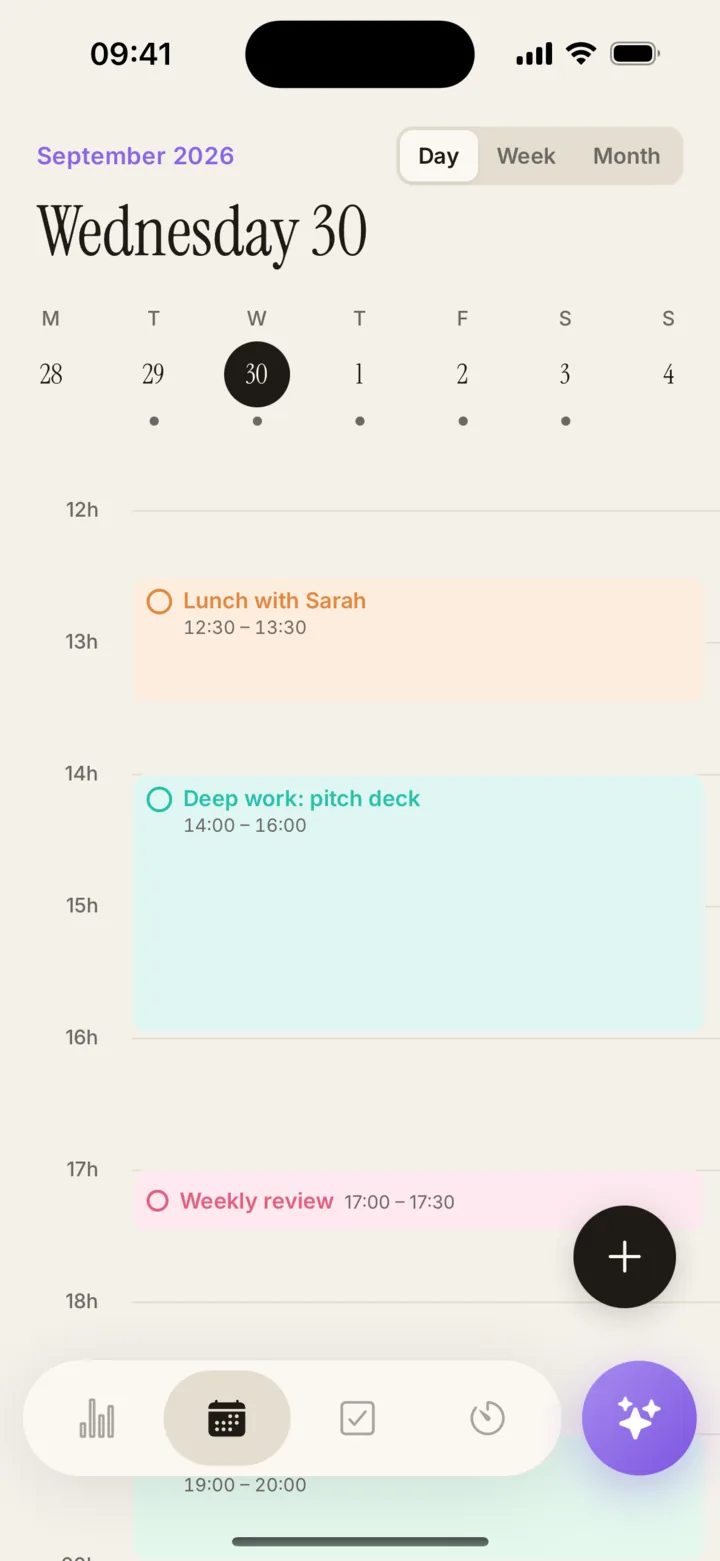
Clean day and month views with color-coded events and recurring rules that just work — gestures for navigation, no clutter.

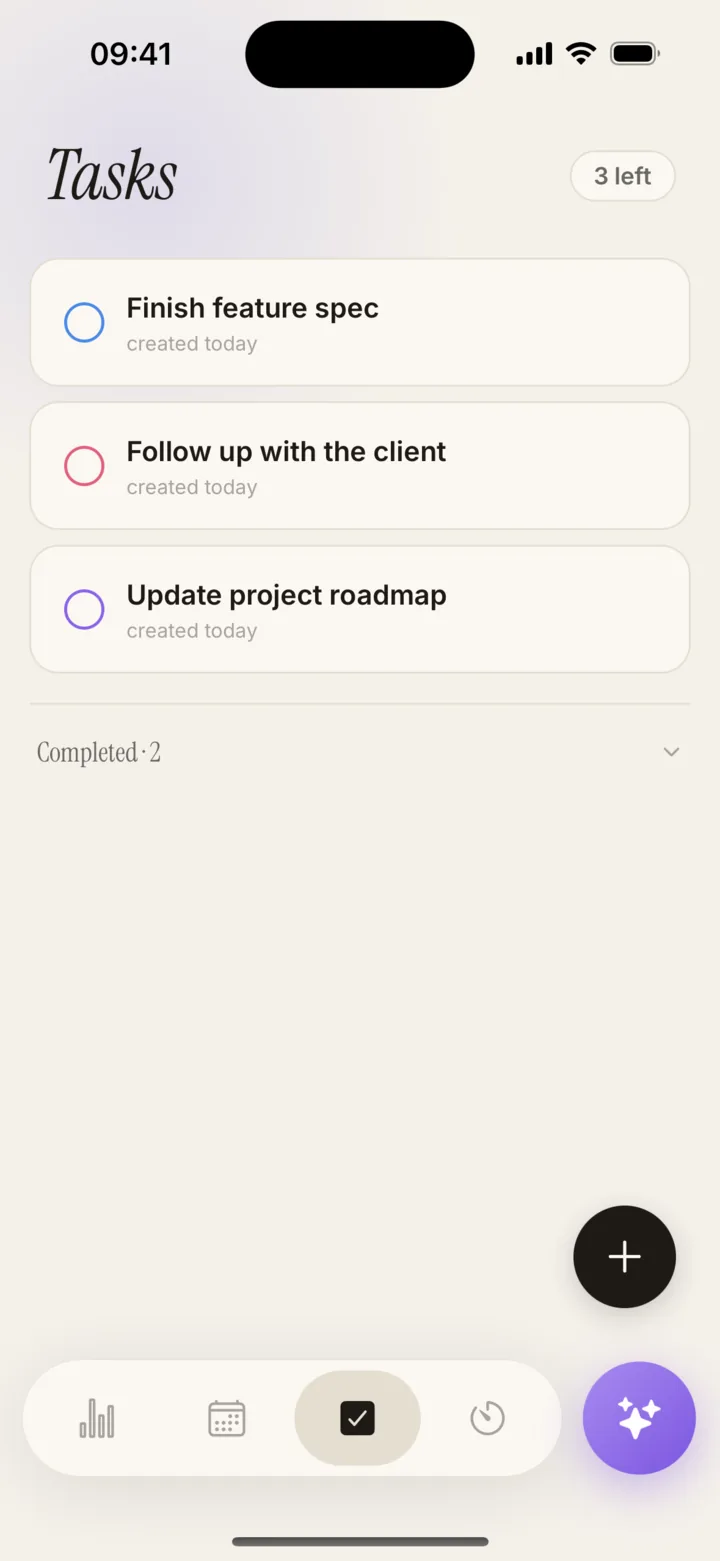
Tasks that don’t need a date — yet
Capture everything in one place. Keep tasks unscheduled until you’re ready, then drag them onto your calendar when you are.

A dashboard that tells you the truth
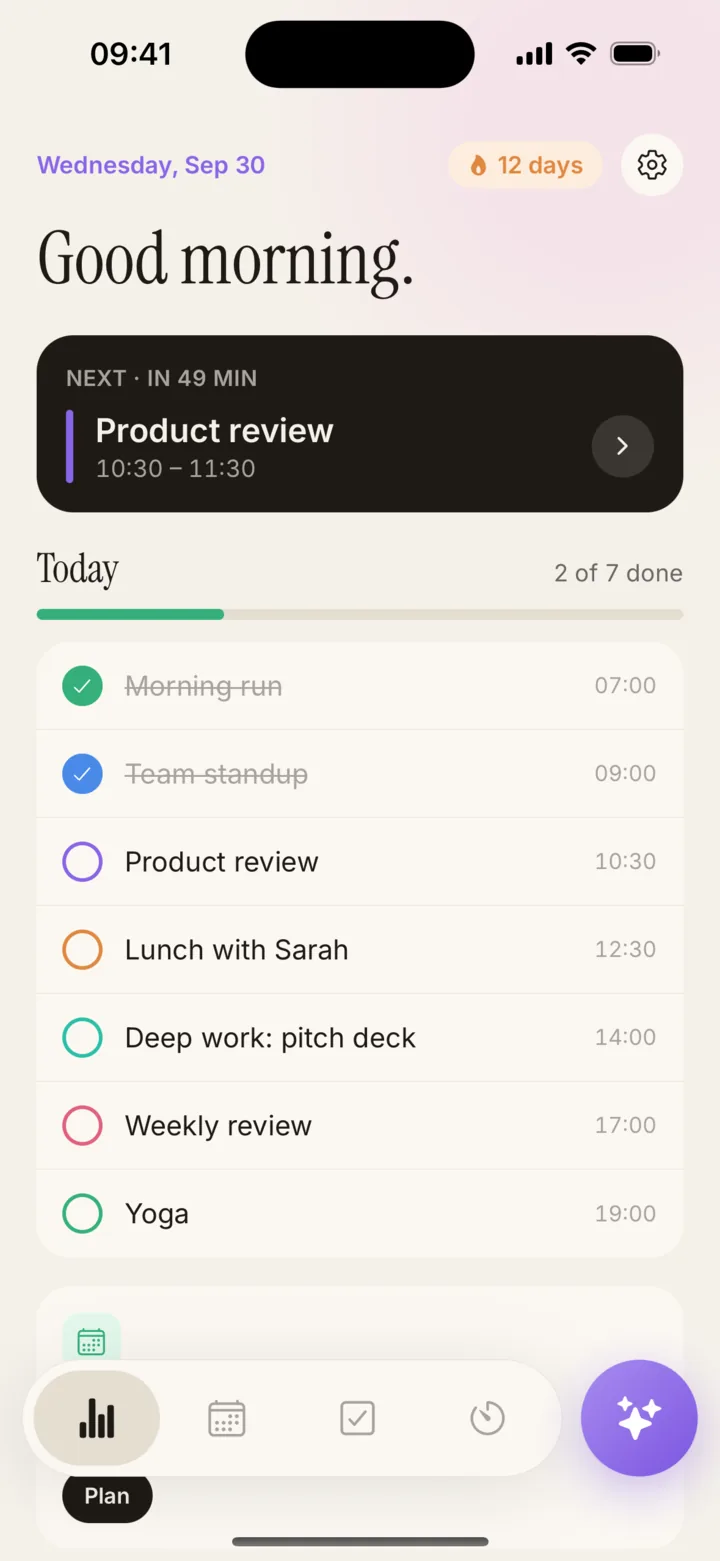
Progress rings, 30-day trends and a weekly overview that show exactly where your time went — no spreadsheets, no vanity numbers.

Unified view
Calendar and tasks side by side. One place for your whole day.
5 languages
English, Français, Español, Italiano, Deutsch — UI and AI, natively.
Privacy by design
Your data stays on your device. Apple / Google sign-in — never your password.
Color-coded, so your day reads itself.
From a sentence to a scheduled day, in four taps.
Open Planifai and tap the chat bubble.
No onboarding, no forms. Sign in with Apple, Google, or jump in as a guest — your calendar is ready in seconds.
Describe your day the way you think about it.
“Team sync Friday 3pm. Block 2h tomorrow morning for deep work. Remind me to call Mom Sunday.” That’s a full day, in one message.
Planifai builds the schedule — and you stay in control.
The AI pre-fills forms you can edit, never commits anything without your tap. Say “move”, “cancel”, “reschedule” — it just works.
End the week with real insight.
Weekly overview, 30-day trends and progress rings tell you exactly where your time actually went — no spreadsheet required.
From scattered to simply scheduled.
Before
- 3 apps open: calendar, to-do, notes
- Tap 6 times to add an event
- Forget the thing you said you’d do
- Vanity “productivity” metrics
- English only
After · with Planifai
- ✓One app. Calendar + tasks + analytics.
- ✓Say it once — it’s on the calendar.
- ✓AI catches the fleeting thoughts.
- ✓Honest weekly insights, no fluff.
- ✓5 languages, natively understood.
Built for every kind of busy life.
Clear your head, own your week.
Stop juggling three apps. Planifai merges your calendar, to-dos and deep-work blocks in one view so meetings, tasks and priorities live in the same place.
3 → 1
apps replaced — calendar, to-do list and planner in one
How Planifai compares to Apple Calendar, Fantastical, Notion Calendar and Todoist.
Honest, feature-by-feature comparison of the most popular calendar and task-management apps — including Planifai, the only one designed around conversational AI chat from day one.
| Feature | Planifai | Apple Calendar | Fantastical | Notion Calendar | Todoist |
|---|---|---|---|---|---|
| Conversational AI chat | Partial | ||||
| Unified calendar + tasks | Partial | ||||
| Productivity analytics dashboard | Partial | ||||
| Multi-language AI (5 languages) | Partial | Partial | |||
| Mobile-first experience | Partial | ||||
| Free tier with AI included | Partial | ||||
| Recurring rules | |||||
| Color-coded events | Partial |
↔ Swipe to see all apps. Comparison based on publicly available product documentation at the time of writing. Trademarks belong to their respective owners.
People also ask
The AI calendar questions Google answers with Planifai.
These are the exact questions readers search for — answered honestly, indexed for rich results.
What is the best AI calendar app in 2026?
+
The best AI calendar app is one that understands natural language, keeps tasks and events in a single view, and gives you honest analytics. Planifai is one of the few iOS apps built entirely around those principles, and it is free to download.
Is Planifai better than Apple Calendar or Fantastical?
+
Planifai adds what Apple Calendar and Fantastical lack: a true conversational AI assistant that reads your calendar and tasks together, built-in productivity analytics and multi-language AI across English, French, Spanish, Italian and German.
Does Planifai replace my to-do app?
+
Yes. Planifai merges calendar and tasks in one view, so you can stop switching between Todoist, TickTick, Notion or Things. Tasks without a date live alongside your scheduled day.
How does Planifai handle natural-language scheduling?
+
You describe your day in a single sentence — for example, 'Schedule dentist Tuesday 3pm and block 2 hours tomorrow morning for deep work'. Planifai pre-fills an editable form so you stay in control, then commits the event or task on confirmation.
Is Planifai good for people with ADHD?
+
Planifai reduces executive-function friction because thoughts like 'call Mom Sunday' go from mind to calendar in one sentence. Gentle reminders avoid the loud-alarm avoidance pattern common with ADHD.
Questions, answered.
Still curious? The app is free — try it and see.
Yes. The core app — calendar, tasks, analytics and multi-language — is free on the App Store. AI chat is included with generous daily usage.
Got a question? A bug? A brilliant idea?
Every message lands directly in my inbox. No bots, no tickets — just the maker of Planifai, reading and replying personally.
Reply time
Usually within 24 hours
Privacy
Never shared, never resold
Languages
English · Français · Español · Italiano · Deutsch
Direct to inbox
Every message is read personally — usually within 24h.
Your best week starts with a sentence.
Free on the App Store. iPhone & iPad. No credit card, no onboarding maze.